Reference data sets the permissible values for other data fields. To standardize your data, you can associate a reference table with mappings. Ensure that you publish the required reference table before associating it with mappings.
To associate reference tables with Mappings, follow these steps:
- Go to Application Menu > Data Catalog > Mapping Manager.
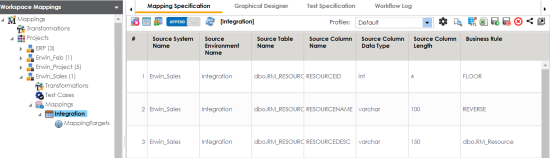
- In the Workspace Mappings pane, click a map.
- Click
 .
. - Right-click the header menu.
- Select the Reference Table check box.
- Drag the reference table from Reference Table Catalog and drop it on the required row under the Reference Table column.
- Click
 .
.
The Mapping Specification grid appears.
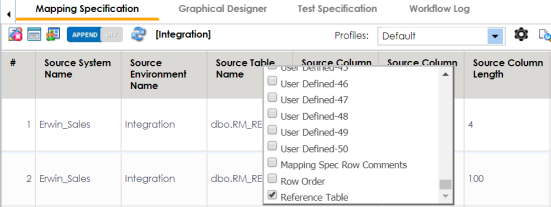
The Reference Table column appears in the Mapping Specification grid.
You can associate multiple source columns with the reference tables.
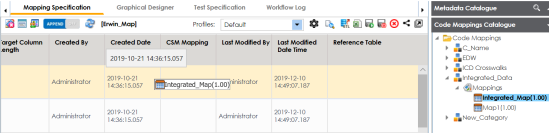
The reference table is associated with the mappings.